Login and authentication
Veldriq Field
Login is email and password on Welcome back → Sign in. Not Profile → API tokens. The compiled binary already contains the server origin.
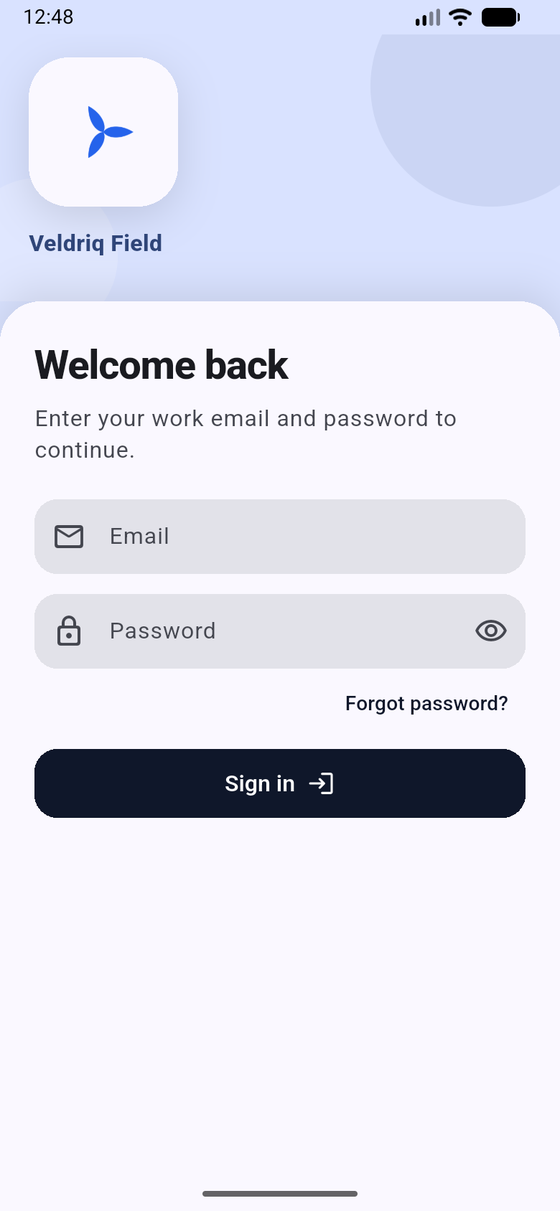
Welcome back. Sample empty fields. Technicians never type an API URL here.
Screens you will see
Section titled “Screens you will see”After the splash (Checking server…):
| Screen | Exact title / copy | What to do |
|---|---|---|
| Login | Welcome back — “Enter your work email and password to continue.” | Type Email and Password, tap Sign in |
| Two-factor | Two-factor authentication / Enter your code | Authenticator code, or tap Use a recovery code |
| Workspaces | Choose your workspace — “Select the Field workspace to continue” | Pick the Field workspace, then continue |
| Invalid configuration | Invalid configuration — “The API base URL is missing or invalid. Production requires HTTPS.” | Builder problem — rebuild |
| Unable to reach server | Unable to reach your company’s server | Tap Retry. An unreachable server does not log you out if you already had a session |
| Not compatible | This app is not compatible with the server | Update the app or ask office to upgrade the backend (API / sync protocol 1) |
- On Welcome back, enter email and password. The title above the form is the in-app
APP_DISPLAY_NAME. A logo may appear from a previous workspace session, or the compiledbranding/fallback_logo.png. - If the account has two-factor enabled, enter the authenticator code (or a recovery code). Passwordless and passkeys are not supported.
- If you belong to more than one eligible workspace, choose one. Then the app opens a Field session for that tenant.
- A successful session lands on the Today tab. An empty Today list is a dispatch question, not a login failure.
Forgot password
Section titled “Forgot password”Tap Forgot password?, enter email, tap Send reset link. Completing reset still depends on mail configured on Veldriq Web. You still need the email plus the token, then Update password.
After login, Android 13+ may ask for notifications if the builder enabled Firebase. Denying it does not block jobs.
Do not paste purchase codes into the app. The app never calls Envato.
If this fails
Section titled “If this fails”- Wrong email or password — stay on Welcome back; do not create an API token.
- Unable to reach your company’s server — network or origin baked at compile time. See API base URL.
- Access denied. — technician, Field access, or license. See Eligibility and Access denied.