Used items
When plan feature inventory is on, job detail shows Planned / Used. Add used item records consumption against the visit. Request parts / Submit request and Return to van exist as the UI allows. Consuming a part is not invoicing the customer.
Screen path: job detail → More details → Parts & services. Van list: Profile → Van stock. Native Field is not the Field PWA.
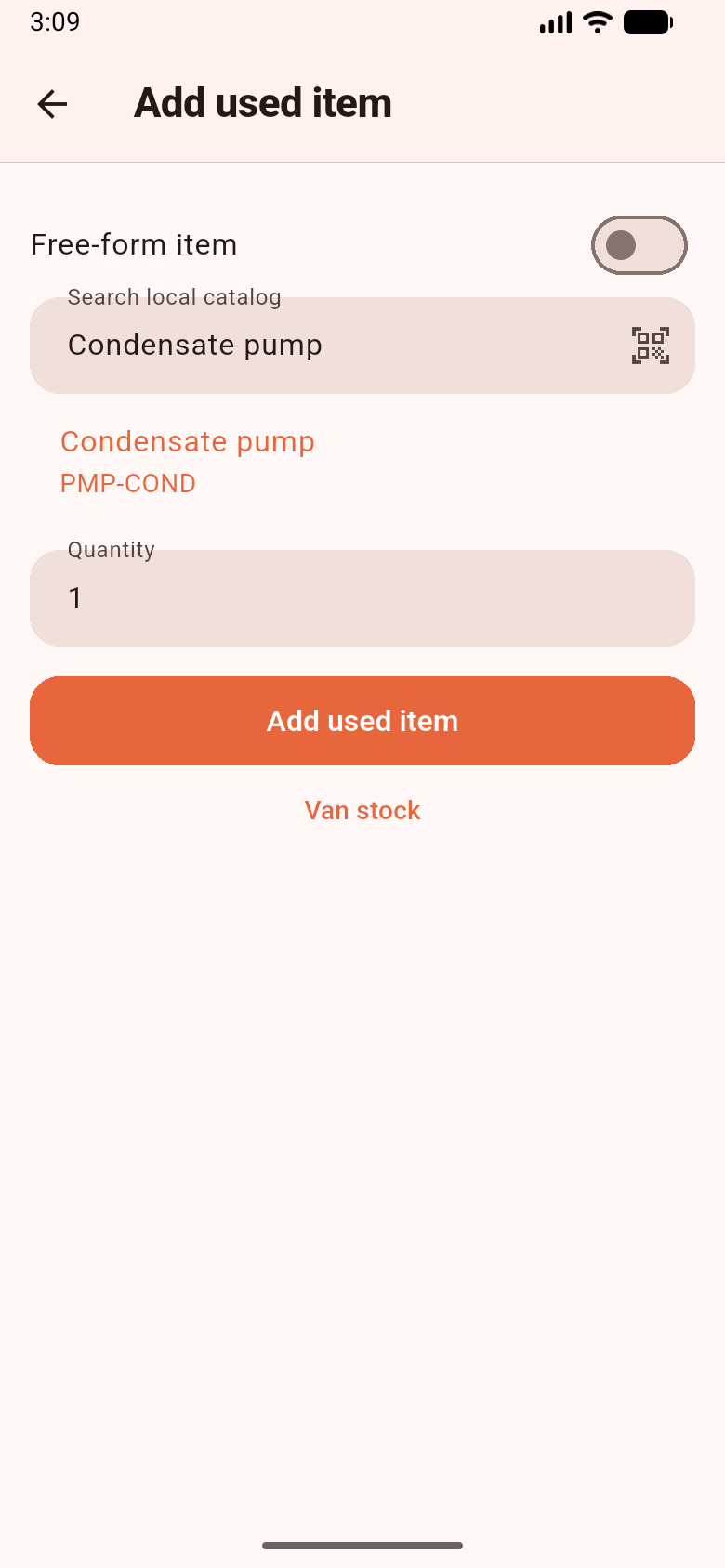
Add used item searches the local catalog (here a condensate pump). Sample data. Customer equipment is an asset, not this list.
Preconditions
Section titled “Preconditions”Workspace capability inventory on for tracked consume. Technician default_stock_location_id (van) — there is no location picker. You typically need to be Working. Capability off: “Inventory is not enabled for this workspace.” — tracked consume is hidden; historical used lines and service / free-form lines can still appear.
Planned lines are read-only — “Planned lines cannot be changed on the device.”
- Expand More details → Parts & services.
- Tap Add used item. Search Name, SKU or barcode or tap the scanner (Scan barcode).
- Enter Quantity. Tracked items: “Tracked products must be consumed from van stock.” You may see “Van estimate may go negative after sync.” If no van location: “No van stock location is assigned.”
- Or use Free-form item when the catalog does not apply.
- Return to van when the server allows a stock-linked line. Request parts → Submit request does not consume stock.
Scan lookup is local Drift only. Unknown: “No product matches this code in the synced catalog.” Camera denied: “Camera is unavailable. Enter the code manually.” The scan string is never opened as a URL. No GPS, NFC, or RFID.
Van stock is the last confirmed snapshot plus pending outbox deltas. “Van stock is not downloaded yet” is not the same as zero stock.
What works / does not work
Section titled “What works / does not work”| Works | Does not work | |
|---|---|---|
| Offline consume / return | Queue + local estimate | Globally locked reservation (V1 has none) |
| Flutter vs PWA | Flutter always queues | PWA online require_sufficient is not this app |
| Request parts | Queued request | Consume, PO, invoice |
| ATP / GL | No | Promising sufficient stock |
If you cannot find Parts: expand More details. If van went negative: expected on offline replay; the server accepts the consume and flags a discrepancy.
Related: Web inventory · Profile.