Profile
Profile is the signed-in technician on this device. Open it from the Profile tab. You do not upload a workspace logo here — that is office Web branding plus the compiled Field fallback. There is no Server status row on Profile home.
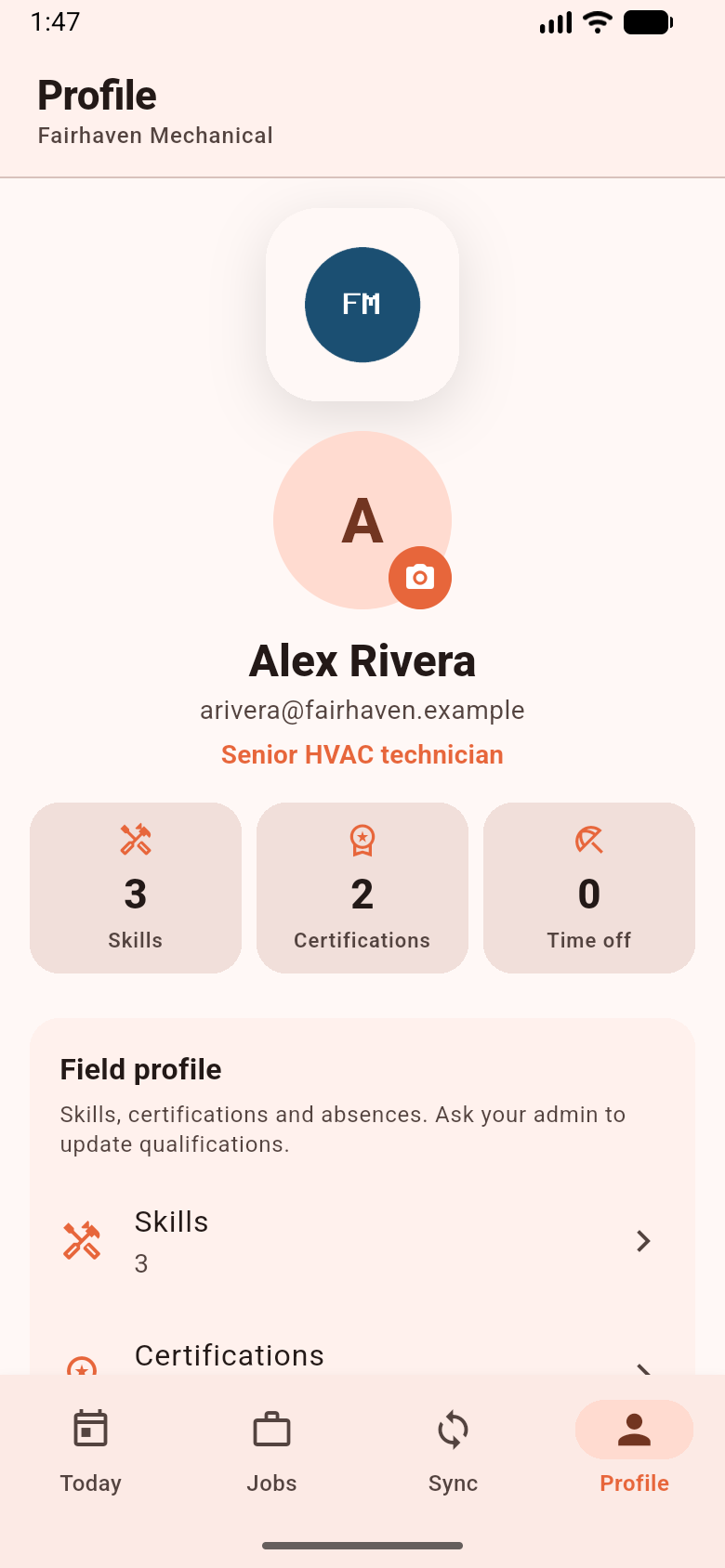
Runtime tenant branding on this screen is the workspace name (AppBar subtitle) and the workspace logo plate. Sample company data in the figure.
What you see
Section titled “What you see”| Element | What it is | If missing |
|---|---|---|
| Workspace name | Session workspace name under the AppBar | Empty until a session exists |
| Workspace logo plate | BrandLogo with session logo_url |
Compiled fallback_logo.png — not platform logo, not initials |
| User avatar | Technician photo when the URL loads | First letter of the user displayName (or ?) on a primaryContainer fill. These initials are the user, not the workspace |
| App version | version+build from the binary |
Always from this install |
| Offline data | Ready or Not downloaded | Download from Sync / login flow — not a second diagnostics screen |
Then:
| Screen | What it is |
|---|---|
| Skills / Certifications / Availability | Read-only projections the office already sent |
| Identity | Account identity fields from the mobile API |
| Preferences | Language (compiled locales ∩ tenant-enabled codes), time zone, date/time formats. Arabic (ar) uses RTL |
| Security | Password / 2FA related account security |
| Workspace card | Workspace name, technician label, employee code, home base, Switch workspace |
| This device | App version, Offline data available, Van stock when capability inventory is on |
Van stock appears on Profile when inventory is enabled — it is not a fifth tab. Sync diagnostics (Sync now, copy logs) live on the Sync tab. See Sync Center.
Language
Section titled “Language”Open Preferences → Language. You only see locales that exist in this binary and are enabled for the tenant. Saving shows Language updated. Adding a locale to Laravel backend/lang/ does not add it to this APK. See Localization.
Switch workspace
Section titled “Switch workspace”Switch workspace returns you to Choose your workspace. Switching uses a separate Drift file and media folder. You cannot open workspace A’s jobs from workspace B’s database. Pending outbox on the current workspace still triggers the logout warning before you switch.
Logout
Section titled “Logout”Button: Log out (busy label Signing out…). If outbox items remain, title Pending sync operations. Confirm Sign out anyway if you must. Confirming does not wipe the SQLite file or media folder. See Logout.
Logout tries DELETE /api/v1/field/installations first when push was registered. A network failure does not block logout.
If this fails
Section titled “If this fails”- You looked for Server status on Profile — it is not there. Unreachable-server copy lives on login / splash: Unable to reach your company’s server.
- A language is missing — it is not compiled, or the tenant did not enable it.
- Van stock missing — capability
inventoryis off, or you have no default stock location.