Invoices
The customer receivable for work or charges. It is not a general ledger, not a service report, and not what this workspace pays Veldriq.
Sales → Invoices · /app/w/{workspace}/invoices · capability invoicing · invoices.view / manage / invoices.issue / invoices.send
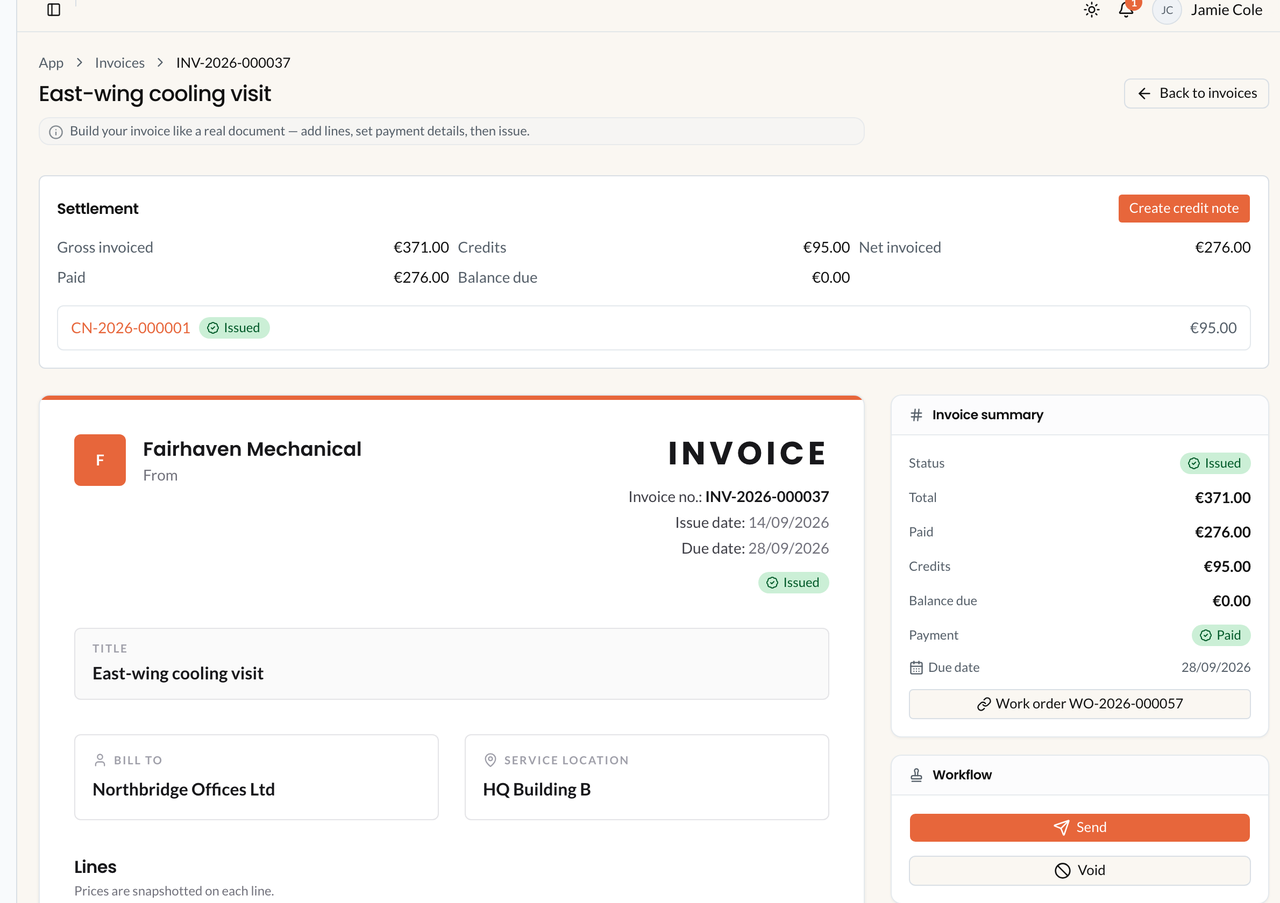
Invoice profile. Sample data. Credit notes are created from an issued invoice, not from a sidebar item. This is not a Plan invoice and not a service report.
Two invoice screens
Section titled “Two invoice screens”| UI | Path | What it is |
|---|---|---|
| Sales → Invoices | /app/w/{workspace}/invoices |
What your customers owe you |
| Plan & billing → Plan invoices | /app/w/{workspace}/billing/invoices |
What this workspace pays the platform |
How an invoice is created
Section titled “How an invoice is created”| Source | How | What is carried |
|---|---|---|
| Manual | Sales → Invoices → New invoice | Customer; catalog or custom lines on the draft |
| Work order — Actual billable lines | Work order → Invoice this work order → Create draft invoice | What was really used on the job |
| Work order — Accepted estimate | Same action | Agreed estimate prices (acceptance snapshot) |
| Work order — Planned lines | Same action | Planned quantities still remaining |
| Work order — Blank invoice | Same action | Empty draft; add lines yourself |
| Service agreement (recurring) | Agreement Generate now or hourly fsm:agreement-billing-generate |
Draft from charge lines — not PM/WO actuals |
Convert to work order on an estimate does not create this document. Closeout (Complete appointment) never invoices. Office Complete on the work order is not required to create a draft. You can invoice an Open job.
Create, issue, send
Section titled “Create, issue, send”- Customer required. Currency from Settings → Commercial (Default currency) on blank drafts — frozen on the document. Payment terms: Due on receipt / Net 7 days / Net 14 days / Net 30 days / Custom due date.
- Add lines (catalog snapshot or custom). Totals: Subtotal − Discount + Tax = Total (tax-exclusive, half-up). While Draft the placeholder number is Draft.
- Issue — confirm: The document, its lines, and its number become final. Only voiding can cancel it afterwards. Assigns
INV-YYYY-######. Queues PDF from the issued snapshot. - Send (issued only): remints the portal/public token, emails a link. Public view/pay:
/i/{token}. Only an issued invoice can be sent.
PDF is the frozen snapshot, not live customer data. Worker required.
Stored status is only Draft → Issued → Void. There is no stored Paid status. Badges Unpaid / Partially paid / Paid and Not due / Due / Overdue are derived.
Total vs outstanding
Section titled “Total vs outstanding”Settlement labels: Gross invoiced, Credits, Net invoiced, then recorded payments.
Outstanding = max(0, Gross − issued credit notes − recorded payment allocations)
If payments exceed net after credits, outstanding stays €0.00 and the invoice shows Over-collected — Veldriq does not refund the difference. Draft credit notes do not count until Issue credit note.
Void ≠ credit note ≠ refund
Section titled “Void ≠ credit note ≠ refund”| Action | Purpose | Keeps the invoice? | Sends cash back? |
|---|---|---|---|
| Void | This issued bill should not stand | Yes (number kept) | No |
| Credit note | Formal reduction of billed qty/amount | Yes (issued stays) | No |
| Refund | Not implemented in V1 | — | Not in Veldriq |
Void (invoices.void) is issued only. Blocked if recorded payment allocations (Void the payments first.) or issued credit notes exist. Delete is Draft only (Issued invoices can never be deleted.).
Tax label (e.g. VAT) is printed text. Veldriq does not certify jurisdiction-specific invoice law. Changing default currency does not convert issued amounts (Amounts are not converted (no FX).).
What-if
Section titled “What-if”If you cannot issue: already Issued or Void; no lines / zero total; missing invoices.issue; looking at Plan invoices.
If you wait for Closeout to create the invoice: it never will. Create the draft yourself.
If you treat PDF Total as today’s outstanding: use Gross − Credits − payments.
Related: Payments, Estimates, Finance troubleshooting.