Findings
A recorded non-conformance on a visit checklist. It is not a Closeout blocker, not a work order, and not shown in the customer portal in V1.
Operations → Findings · /app/w/{workspace}/findings · capability forms · findings.view / findings.manage
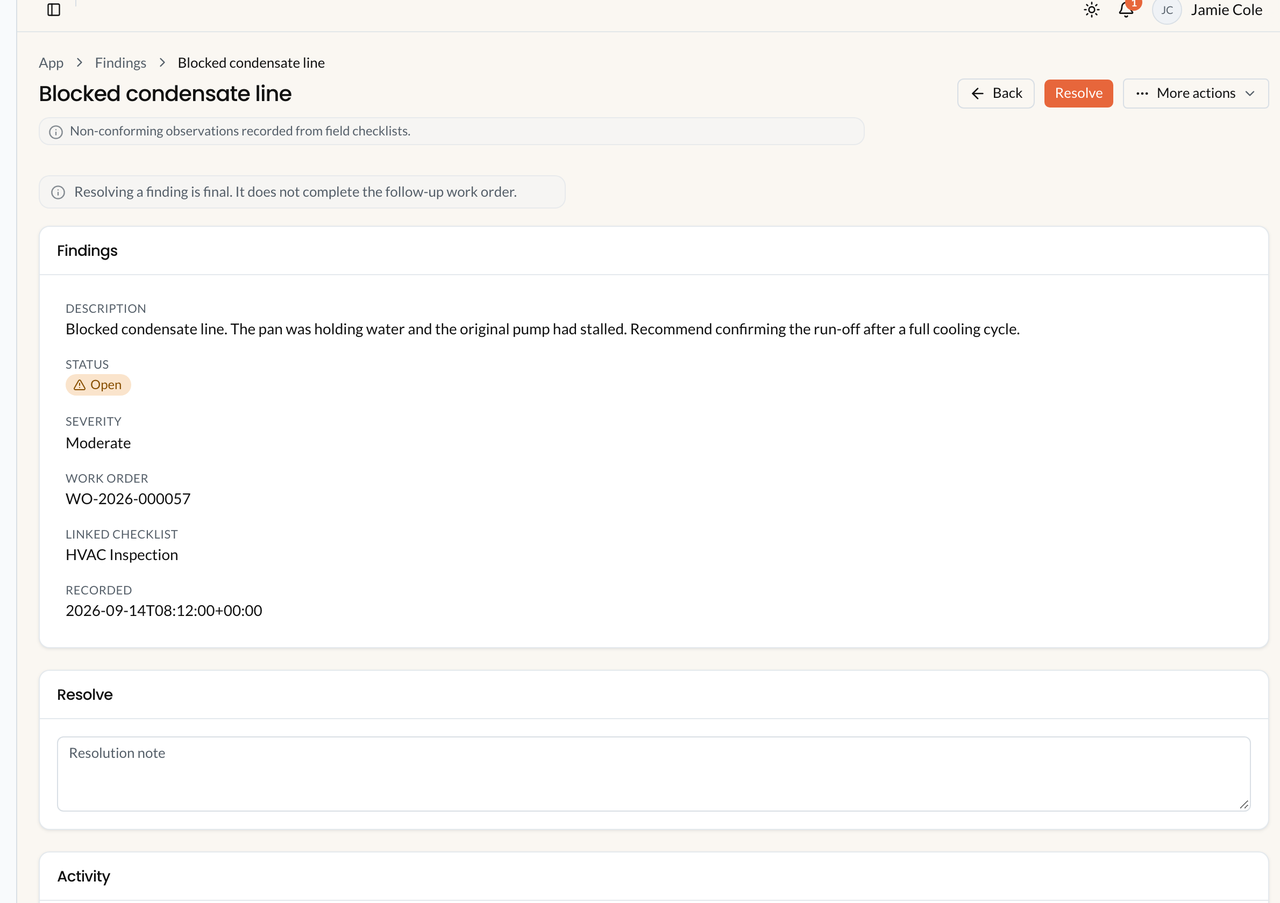
Findings in the office. Sample data. Follow-up work orders are optional. A finding is not a Closeout blocker and does not create a work order by itself.
What a finding is
Section titled “What a finding is”A technician uses Record finding while work is in progress. Copy in Field: Record a non-conforming observation linked to this checklist. This does not create a work order by itself. Every finding belongs to an appointment and a form instance. Office does not create findings. Empty state: Technicians record findings from a job checklist while work is in progress.
| Action | Where | Permission |
|---|---|---|
| Record finding | Field only | field.jobs.execute + capability forms |
| List / open | Operations → Findings | findings.view |
| Resolve | Finding show (office or Field) | findings.manage / execute on the job |
| Create follow-up work order | Finding show (office) | findings.manage |
Record a finding (Field)
Section titled “Record a finding (Field)”- Start work on the assigned visit.
- Open Findings, or tap Record finding from the checklist. Describe the non-conformance. Severity: Minor / Moderate / Severe (or leave unset).
- Optional: link a photo already on this visit. Photos attached to a finding cannot be deleted later (This photo is attached to a finding and cannot be deleted.).
- Save. Status starts Open.
If the visit is already Completed: This job is closed. Findings can no longer be recorded here.
Lifecycle
Section titled “Lifecycle”OPEN → RESOLVED. Resolve needs a Resolution note. Confirm: Resolution is final. The finding cannot be reopened. Resolving does not complete a follow-up work order and does not Complete the visit or the work order.
Open findings do not block Complete appointment. Office can Complete the work order with Open findings.
Follow-up work (0..1)
Section titled “Follow-up work (0..1)”Office button: Create follow-up work order. Confirm: This creates a draft work order. It does not schedule, assign, or resolve the finding.
- At most one follow-up work order per finding. The button is hidden once a follow-up exists.
- The new job starts Draft. Office must Open it before Field can see it.
- Title uses Follow-up: :description.
- Creating follow-up does not Resolve the finding. Resolve does not create a work order.
That is not a full CAPA / GRC module. If you need more work after the first follow-up, create another work order from Operations.
Office list
Section titled “Office list”Filter: Status, Severity, Site, Asset, Open age (Open < 7 days / Open 7–30 days / Open > 30 days). There is no customer filter and no technician filter on this list in V1.
Customers never see this list in the portal. Frozen findings can appear on a service report PDF snapshot.
Related: Forms, Service reports.